


Odoo ERP Integration: Connecting Your Systems Without Starting Over
Connect, automate, and grow with Odoo ERP.
Many businesses rely on multiple software applications to manage their daily operations. While each system may perform its specific function well, they often operate in isolation, creating what are known as disconnected systems. When these applications cannot communicate with one another, data becomes scattered across departments, workflows slow down, and employees spend valuable time transferring information manually.
Sales teams update customer information in one application, finance generates invoices in another, inventory is managed somewhere else, and operations rely on spreadsheets to bridge the gaps.
As businesses grow, disconnected systems create duplicate work, inconsistent data, delayed reporting, and slower decision-making. Odoo ERP integration solves this problem by enabling business applications to exchange information automatically, creating a single source of truth across the organisation without requiring you to replace every existing system.

What Is Odoo ERP Integration?
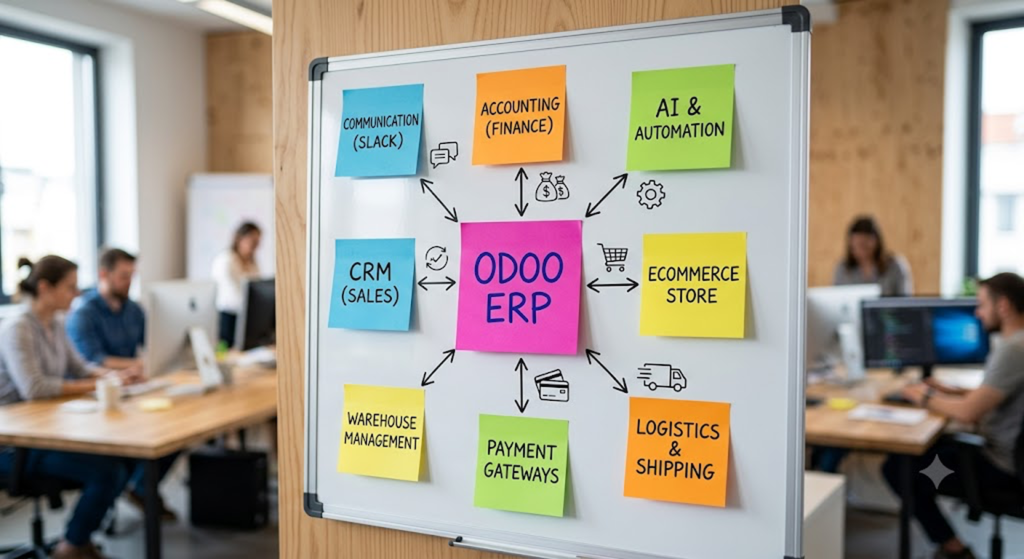
Odoo ERP integration is the process of connecting Odoo with the other business applications your organization relies on such as CRM platforms, accounting software, eCommerce stores, payment gateways, communication tools, logistics systems, and increasingly, AI-powered applications and automation platforms. The goal is to enable seamless, real-time data exchange so information flows automatically between systems instead of being entered manually multiple times.
Rather than having your sales team, finance department, warehouse staff, and customer support teams working in disconnected applications, Odoo ERP integration creates a unified ecosystem where every department works from the same accurate, up-to-date data. Customer orders, invoices, inventory levels, payments, and operational updates are synchronized across connected systems, reducing errors, eliminating duplicate work, and improving overall business efficiency.
By making Odoo the central hub of your business operations, integration streamlines workflows, provides better visibility across departments, and enables faster, data-driven decision-making as your business grows.
Why Odoo ERP Integration Matters
- Eliminates duplicate data entry across sales, finance, and operations
- Closes the gap between what your CRM shows and what your ERP shows
- Speeds up reporting because data doesn’t need to be reconciled by hand
- Makes legacy systems usable again instead of forcing a full replacement
- Creates the clean, connected data foundation AI and automation tools actually need to work
- Cuts down on invoicing delays, since orders and payments sync automatically instead of waiting on manual entry
- Reduces the risk of selling out-of-stock inventory, because stock levels stay accurate across every connected channel
- Frees up your team’s time for higher-value work instead of copy-pasting between systems
- Gives leadership a single, reliable set of numbers instead of three slightly different versions from three different tools
- Scales with you once the integration layer is built right, adding a new sales channel or tool doesn’t mean rebuilding from scratch

Types of Odoo ERP Integration
Accounting Integration
Connect Odoo with accounting platforms like QuickBooks or Xero to automatically sync invoices, payments, expenses, and financial records, reducing manual reconciliation and improving accuracy.
Odoo ERP CRM Integration
Odoo ERP CRM integration connects platforms like Salesforce, HubSpot, or Zoho with Odoo, ensuring customer data, leads, and sales pipelines stay synchronized across teams. This is a common starting point for businesses that already work with our Odoo consulting services to map out where CRM and ERP data should meet.
Ecommerce Integration
Integrate Odoo with Shopify, WooCommerce, Magento, or Amazon to sync products, inventory, orders, and customer information, enabling smoother order fulfillment and inventory management.
Communication Integration
Connect Odoo with Slack, Microsoft Teams, Gmail, or Outlook to automate notifications, approvals, and task updates, improving collaboration across departments.
Odoo ERP AI Integration
Odoo ERP AI integration enables AI-powered automation such as predictive analytics, intelligent document processing, demand forecasting, and AI assistants using centralized ERP data.
Custom API Integration
Custom API integrations connect Odoo with legacy systems or proprietary applications where native connectors are unavailable, ensuring secure and reliable data exchange across business systems.
Common Odoo ERP Integration Methods
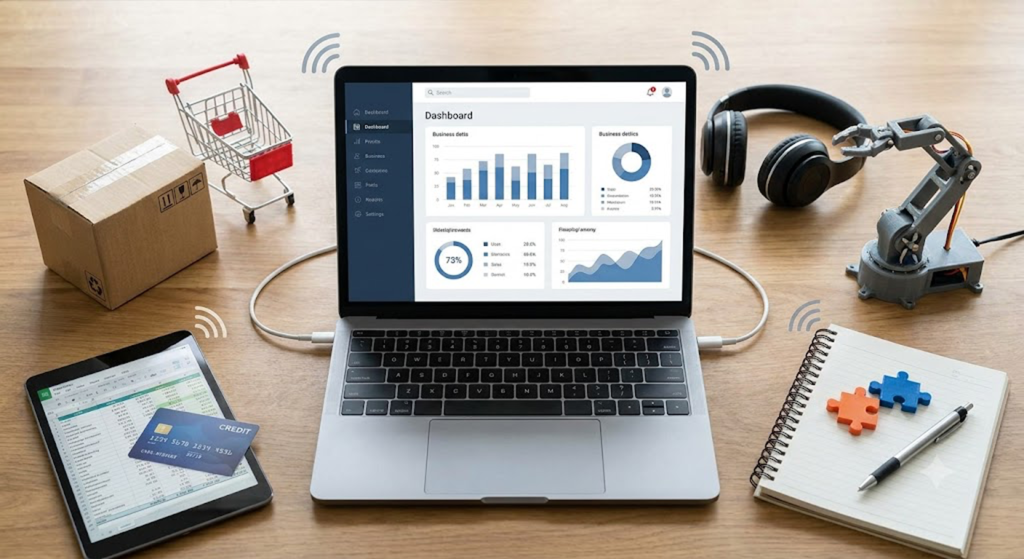
No two businesses use the exact same technology stack, which means there isn’t a one-size-fits-all approach to Odoo ERP integration. The right integration method depends on the applications you use, the complexity of your workflows, your security requirements, and whether you need real-time or scheduled data synchronization. Choosing the right Odoo ERP integration approach early helps reduce implementation risks, improve scalability, and simplify future system upgrades. Understanding these methods helps businesses choose an integration strategy that is reliable today and scalable for future growth.
1.Native Odoo Connectors
Odoo includes built-in integrations for many business applications and also supports a wide range of community and third-party connectors. Native connectors provide the fastest way to integrate common platforms because they require minimal custom development while maintaining compatibility with Odoo updates. They are ideal for businesses looking for a straightforward implementation with lower maintenance requirements.
2.REST APIs
REST APIs are one of the most widely used methods for Odoo ERP integration. They enable secure, real-time communication between Odoo and external applications by exchanging data over standard HTTP protocols. REST APIs are commonly used to synchronize customers, products, orders, inventory, invoices, and payment information between Odoo and CRM platforms, eCommerce stores, mobile applications, and cloud services.
3.XML-RPC and JSON-RPC
Odoo provides XML-RPC and JSON-RPC interfaces that allow developers to interact directly with the ERP’s business objects and modules. These protocols are commonly used when integrating legacy systems, building custom business applications, or extending Odoo with specialized workflows that require deeper access to ERP data and processes.
4.Middleware Integration Platforms
Middleware platforms such as Make, Zapier, MuleSoft, Celigo, and Boomi simplify integrations by acting as an intermediary between Odoo and multiple business applications. Instead of building individual integrations for every system, businesses can use middleware to automate workflows, transform data formats, monitor integrations, and manage complex multi-application environments with less custom code,the same kind of workflow automation our RPA development team builds for clients who want fewer manual handoffs.
5.Custom API Development
Some organizations rely on proprietary software, industry-specific applications, or legacy systems that don’t offer pre-built connectors. In these situations, custom API development creates secure, scalable integrations tailored to unique business processes. Although it requires more planning and development effort, this approach provides maximum flexibility and long-term control over data exchange — which is often where businesses decide to hire an Odoo developer rather than take it on in-house.
6.Webhooks
Webhooks enable event-driven communication by sending information instantly whenever a specific action occurs inside Odoo. For example, creating a sales order can automatically notify a warehouse management system, trigger a shipping request, or send updates to a customer communication platform. This approach reduces delays by eliminating the need for constant polling between applications.
7.ETL (Extract, Transform, Load) Integrations
Not every integration requires real-time synchronization. ETL integrations extract data from one or more systems, transform it into a consistent format, and load it into Odoo or a reporting platform on a scheduled basis. ETL is particularly useful for business intelligence, historical reporting, data warehousing, analytics, and large-scale migrations where processing data in batches is more efficient than continuous synchronization.

Systems Commonly Integrated with Odoo ERP
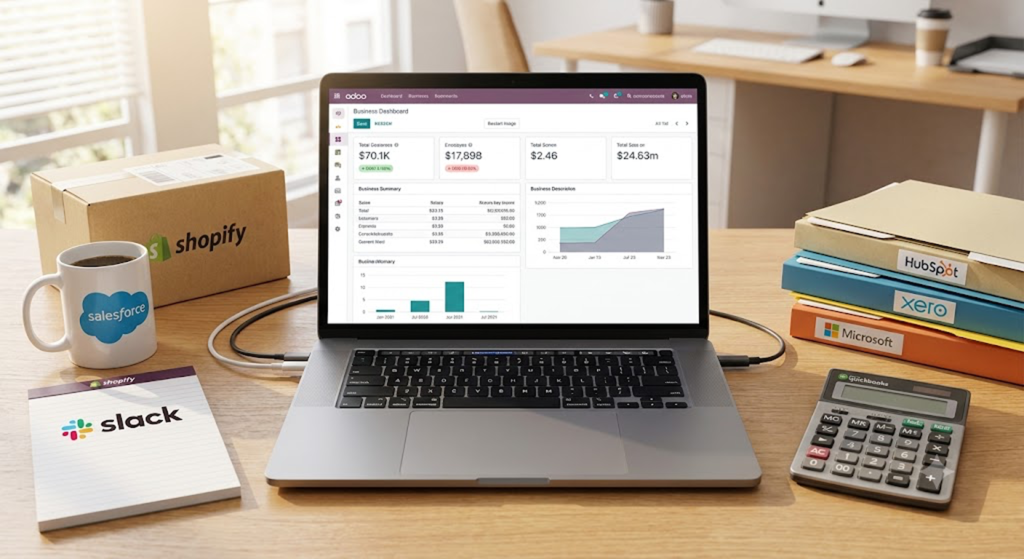
One of Odoo’s greatest strengths is its ability to integrate with the software businesses already use instead of forcing a complete technology replacement. Whether you’re managing customer relationships, online sales, accounting, logistics, or business intelligence, Odoo ERP integration allows information to move seamlessly between systems, creating a unified view of operations across the organization.
Business System | Purpose of Integration |
Salesforce | Synchronize customer records, leads, opportunities, and sales activities between CRM and ERP. |
HubSpot | Connect marketing campaigns, customer interactions, and sales pipelines with operational workflows in Odoo. |
QuickBooks | Automatically sync invoices, payments, expenses, and financial records to reduce manual accounting tasks. |
Xero | Keep financial transactions, customer accounts, and accounting data synchronized across both platforms. |
Shopify | Import products, synchronize inventory, process online orders, and automate fulfillment workflows. |
WooCommerce | Keep product catalogs, customer information, stock levels, and orders updated in real time. |
Amazon Marketplace | Centralize marketplace orders, inventory availability, and shipping updates within Odoo. |
Stripe | Automate payment processing, transaction reconciliation, and invoice payment updates. |
PayPal | Synchronize online payments with invoices and customer accounts to simplify financial tracking. |
Microsoft 365 | Connect Outlook email, calendars, contacts, and productivity tools with ERP workflows. |
Slack | Send automated notifications, approval requests, task updates, and operational alerts to teams. |
Power BI | Build advanced dashboards and business reports using synchronized ERP data. |
Tableau | Visualize operational, financial, and sales data through interactive analytics and reporting dashboards. |

Need an Odoo ERP Integration Partner?
From API development to AI-powered automation, we deliver end-to-end Odoo integrations that improve efficiency, data accuracy, and business performance.
Odoo ERP Integration Architecture
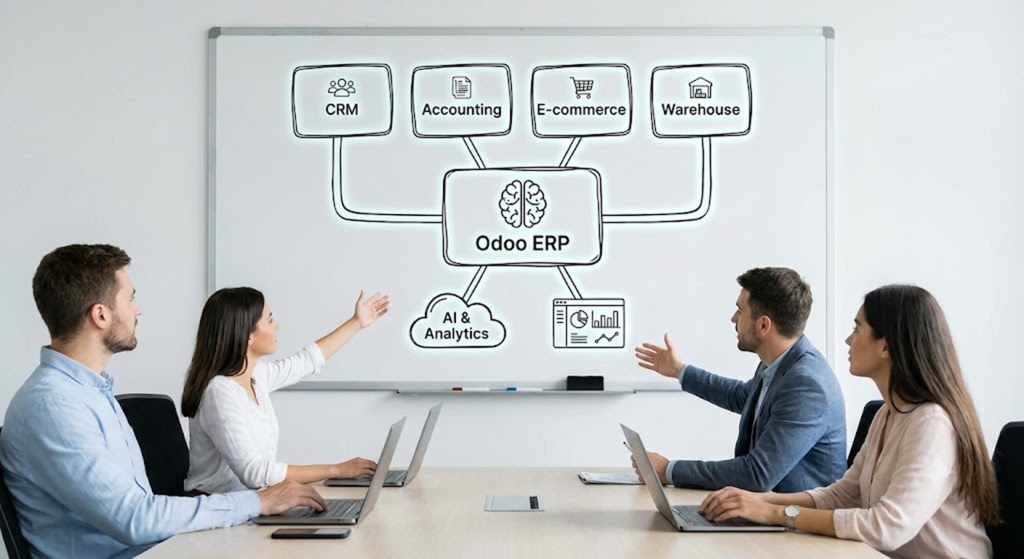
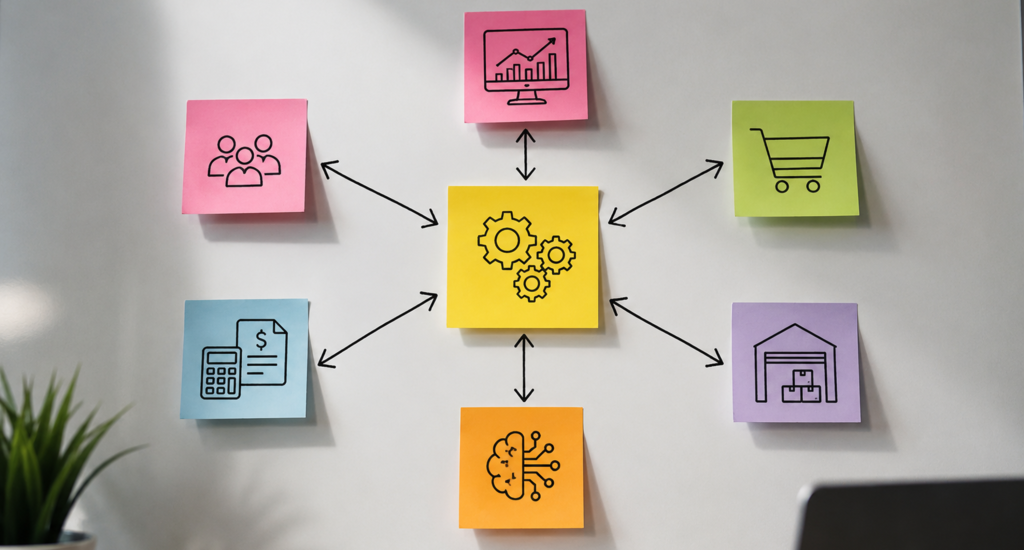
A successful Odoo ERP integration is about more than connecting individual applications—it’s about creating a unified architecture where information flows seamlessly across every business function. Instead of departments operating in isolated systems, Odoo acts as the central ERP platform, receiving, processing, and distributing data to the applications that need it.
In a typical integration architecture, customer data from CRM platforms, financial transactions from accounting software, inventory updates from warehouse systems, and orders from eCommerce platforms all synchronize with Odoo in real time. Once this operational data is centralized, businesses can extend it further with AI, automation, and business intelligence tools to gain deeper insights and automate routine processes.
How the Architecture Works
- CRM Systems synchronize customer information, leads, quotations, and sales opportunities with Odoo, ensuring sales and operations work from the same customer data.
- Accounting Platforms exchange invoices, payments, taxes, and financial records, reducing manual reconciliation and improving financial accuracy.
- eCommerce Platforms automatically synchronize products, inventory, online orders, pricing, and customer information to streamline order fulfillment.
- Warehouse and Inventory Systems update stock movements, purchase orders, and fulfillment status in real time, helping maintain accurate inventory across every sales channel.
- AI and Automation Tools use centralized ERP data to power demand forecasting, predictive analytics, intelligent document processing, workflow automation, and AI-powered assistants, the same AI product development discipline we apply on standalone AI builds.
- Business Intelligence Platforms such as Power BI and Tableau connect to Odoo to generate interactive dashboards, executive reports, and real-time performance analytics that support faster decision-making.
Why Choose AI-IoT Geeks for Odoo ERP Integration?
Successful Odoo ERP integration requires more than connecting APIs—it requires understanding your business processes, data flows, and long-term technology strategy. At AI-IoT Geeks, we design integration solutions that eliminate data silos while ensuring every connected system works reliably, securely, and at scale.
Our team helps businesses integrate Odoo with CRM platforms, accounting software, eCommerce applications, payment gateways, communication tools, legacy systems, and AI-powered solutions without disrupting day-to-day operations. Whether you need a standard connector or a fully customized integration architecture, we focus on building solutions that are scalable, maintainable, and aligned with your business goals.
If your ERP integration is complicated by an aging tech stack, our guide to legacy system risks and modernization signs is a useful starting point. We’ve delivered Odoo integrations for clients across manufacturing, retail and eCommerce, financial services, government , healthcare and SaaS businesses, each with different compliance requirements, data volumes, and system landscapes to work around.
We support clients throughout the entire integration lifecycle by:
- Assessing your existing systems and integration requirements.
- Designing secure, scalable Odoo integration architectures.
- Developing custom APIs and middleware integrations where required.
- Integrating Odoo with CRM, ERP, accounting, eCommerce, logistics, and AI platforms.
- Testing, deploying, and monitoring integrations to ensure reliable performance.
- Providing ongoing support, optimization, and future enhancements as your business grows.
By combining expertise in Odoo ERP, AI, automation, cloud technologies, and enterprise integration, AI-IoT Geeks helps organizations build a connected digital ecosystem that improves operational efficiency, delivers reliable business insights, and prepares them for future growth.

Conclusion
AI-IoT Geeks helps businesses transform disconnected applications into a unified, intelligent business ecosystem through reliable Odoo ERP integration services. Whether you’re connecting CRM platforms, accounting software, eCommerce stores, legacy applications, or AI-powered automation tools, the right integration strategy eliminates manual work, improves data accuracy, and enables faster decision-making across the organization.
As your business evolves, a well-designed Odoo integration framework ensures your technology stack can grow without creating new data silos or operational bottlenecks. Investing in the right Odoo ERP integration strategy today helps businesses build a flexible technology ecosystem that can adapt to future operational and digital transformation needs.
By making Odoo the central hub of your digital operations, you create a scalable foundation for automation, analytics, and long-term business success. Partnering with an experienced Odoo integration provider ensures your systems remain secure, efficient, and ready to support future innovation.
Ready to connect your business systems?
Have any questions in mind
Frequently Asked Questions?
1. What systems can be integrated with Odoo ERP?
Odoo can integrate with CRM platforms, accounting software, eCommerce stores, payment gateways, warehouse management systems, communication tools, business intelligence platforms, legacy applications, and AI solutions through native connectors, APIs, middleware, or custom integrations.
2. What is the best method for Odoo ERP integration?
The best integration method depends on your business requirements. Native connectors are ideal for standard applications, while REST APIs, middleware platforms, or custom API development are better suited for complex workflows and enterprise environments.
3. Can Odoo integrate with legacy business systems?
Yes. Even if legacy applications don’t offer modern connectors, they can often be integrated with Odoo using custom APIs, middleware, XML-RPC/JSON-RPC services, or ETL processes, allowing businesses to modernize gradually without replacing every existing system.
4. How long does an Odoo ERP integration project take?
Project timelines vary depending on the number of systems involved, API availability, customization requirements, data complexity, and testing. Simple integrations may take a few weeks, while enterprise-wide integrations involving multiple systems can take several months.
5. Why should I choose AI-IoT Geeks for Odoo ERP integration?
AI-IoT Geeks delivers end-to-end Odoo ERP integration services, from integration planning and architecture design to API development, testing, deployment, AI integration, and ongoing support. Our focus is on building secure, scalable solutions that fit your business processes rather than forcing your business to adapt to the technology , the same philosophy behind our guide on choosing the right Odoo consultant.
6. Do you provide ongoing support after Odoo ERP integration is complete?
Yes. AI-IoT Geeks provides post-implementation support, performance monitoring, troubleshooting, integration enhancements, version compatibility updates, and optimization services to ensure your Odoo ERP integration continues to perform as your business grows.