


Odoo vs Zoho: A Practical Comparison for Growing Businesses
Odoo vs Zoho: Which Is Better?
Most “Odoo vs Zoho” comparisons read the same way: a feature checklist, a pricing table, a verdict that somehow always favors whoever wrote the article. That’s not particularly useful if you’re the one who has to live with the decision for the next five years.
At AI-IoT Geeks, our experience with Odoo implementation, ERP consulting, workflow analysis, customization, and integrations gives us a practical perspective on how ERP platforms fit real business operations. This Odoo vs Zoho guide is built to actually help you decide, not just to rank one platform above the other.
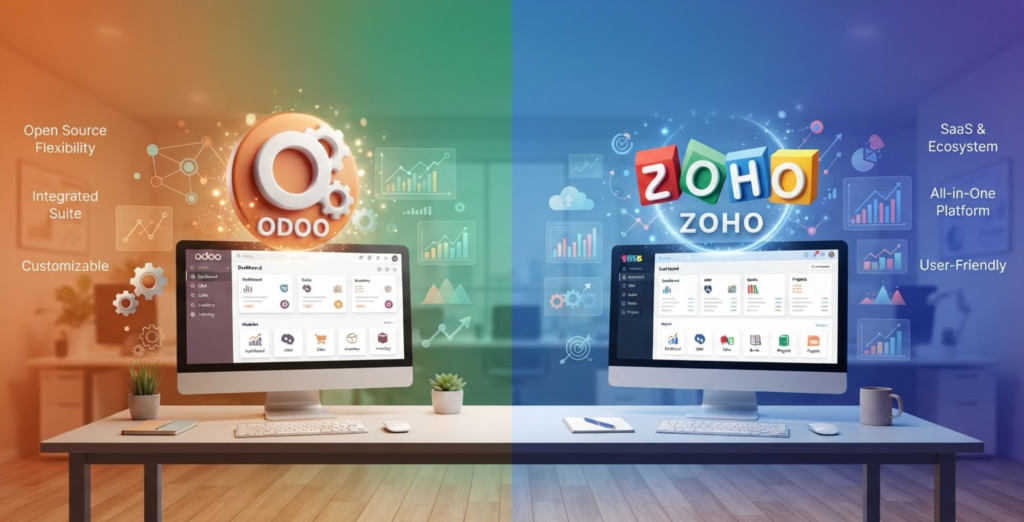
Odoo vs Zoho: Quick Comparison
Odoo | Zoho (Books / Zoho One) | |
What it is | Unified ERP — one database across all modules | Standalone accounting app, part of a broader app ecosystem |
Best fit | Growing or multi-entity businesses, manufacturing, inventory-heavy operations | Single-entity SMBs with straightforward accounting needs |
Customization | Deep — open-source core, developer-level extensions | Moderate — form edits, workflow rules, Deluge scripting |
Setup time | Longer, given broader configuration scope | Faster — often live within a few weeks |
User interface | Comprehensive but has a steeper learning curve | Clean, intuitive, easier for non-accountants |
Integration depth | Native — modules share the same data model | Good, but apps sync rather than share one database |
Scalability | Strong for complex, multi-entity, or manufacturing operations | Strong for small-to-mid businesses; hits a ceiling at scale |
Pricing model | Per user, per month | Per organization, per month (with user caps per tier) |

What Odoo Does Well
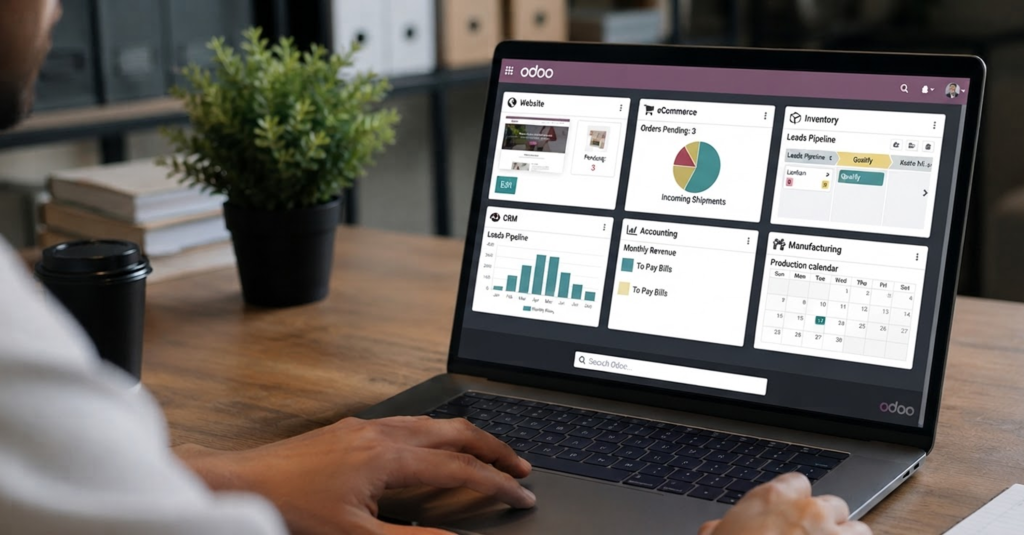
The first thing that stands out in any Odoo vs Zoho comparison is Odoo’s structural advantage every module — Sales, Inventory, Accounting, Manufacturing, HR — pulls from the same database. A sale doesn’t just get recorded; it updates inventory, triggers the right accounting entries, and feeds into reporting automatically, without anyone manually syncing data between separate tools.
That makes Odoo especially strong for:
- Multi-entity businesses that need consolidated reporting across subsidiaries or legal entities
- Manufacturing and distribution operations where inventory, production, and finance need to move together in real time
- Non-standard workflows that a rigid, out-of-the-box SaaS tool can’t bend to fit
- Businesses planning meaningful growth, since Odoo scales by adding modules rather than switching platforms
The trade-off is setup complexity. Odoo rewards businesses that can either drive the customization themselves or bring in an Odoo partner who can it’s less forgiving for a business that wants to log in and start invoicing on day one.
What Zoho Does Well
On the other side of the Odoo vs Zoho comparison, Zoho Books earns its reputation for a reason: it’s genuinely fast to set up, pleasant to use, and doesn’t demand much from a non-technical team. Bank reconciliation, invoicing, and expense tracking all work cleanly out of the box, and if you’re already using other Zoho products, the ecosystem integration is a real advantage — not just a marketing line.
Zoho tends to be the right call for:
- Single-entity small businesses with predictable, standard accounting needs
- Teams without in-house technical resources, where a lower configuration ceiling is actually a feature, not a limitation
- Businesses already inside the Zoho ecosystem (CRM, Projects, Mail) looking for tight native integration
- Fast time-to-value — most Zoho Books setups reach a working state in weeks, not months
The number that actually matters more than either sticker price: implementation, customization, and data migration sit outside both platforms’ published pricing, and that’s usually where the real total cost shows up.

Where the Two Actually Diverge: CRM and Inventory
This is where the Odoo vs Zoho comparison gets genuinely interesting, because the two platforms pull apart in opposite directions depending on the module.
CRM: is one of the areas where the Odoo vs Zoho gap is most visible: Zoho CRM is the more mature product — it’s been Zoho’s flagship for years, and it shows in lead scoring depth, automation, and its ecosystem of add-ons. Odoo’s CRM has improved substantially in recent releases but still trails in advanced sales-team workflow depth. If CRM is your primary system of record, Zoho is usually the stronger standalone choice; if CRM is one piece of a broader connected platform, Odoo’s shared data model wins out.
Inventory: Zoho Inventory handles single-warehouse operations and ecommerce integrations (Shopify, Amazon) cleanly. Odoo’s inventory module is built for real operational complexity — multi-warehouse routing, lot and serial tracking, and tight coupling with manufacturing. Simple, single-location businesses are well served by Zoho; anything with manufacturing or multi-warehouse complexity tends to outgrow it.

The Pricing Reality
The Odoo vs Zoho pricing comparison looks straightforward on paper, but rarely is in practice. Both platforms publish tiered pricing, but the number on the pricing page is rarely the amount you’ll actually pay.
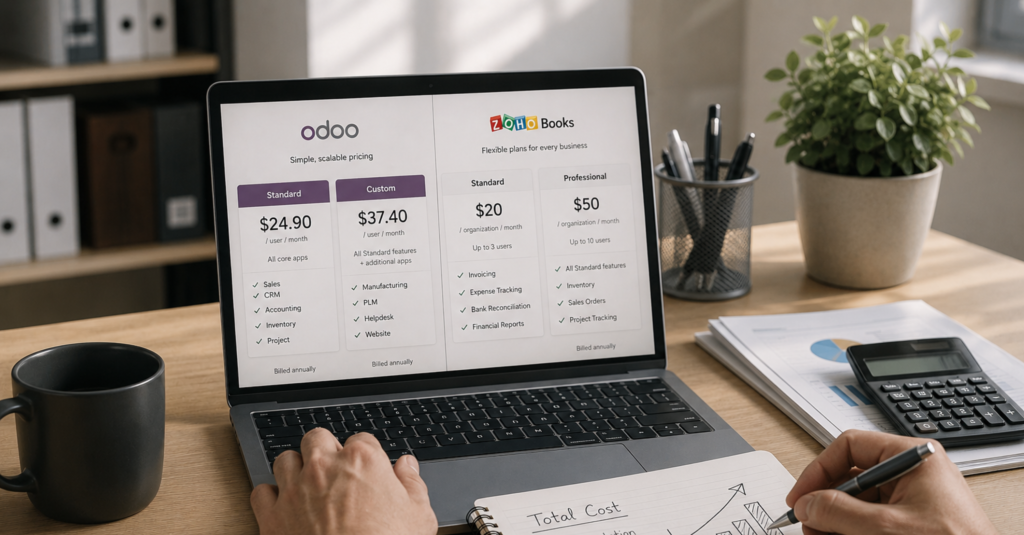
When it comes to Odoo vs Zoho pricing structures, Odoo uses a per-user subscription model for its Enterprise edition, with different plans based on the features your business requires. It also offers a One App Free plan for eligible users and a fully free, self-hosted Community edition. Pricing may also vary by region.
Zoho Books follows a per-organization subscription model with different pricing tiers and user limits. Businesses can choose a plan based on their size, feature requirements, and the number of users who need access.
The number that actually matters more than either sticker price: implementation, customization, and data migration sit outside both platforms’ published pricing, and that’s usually where the real total cost and the real difference between the two platforms shows up.
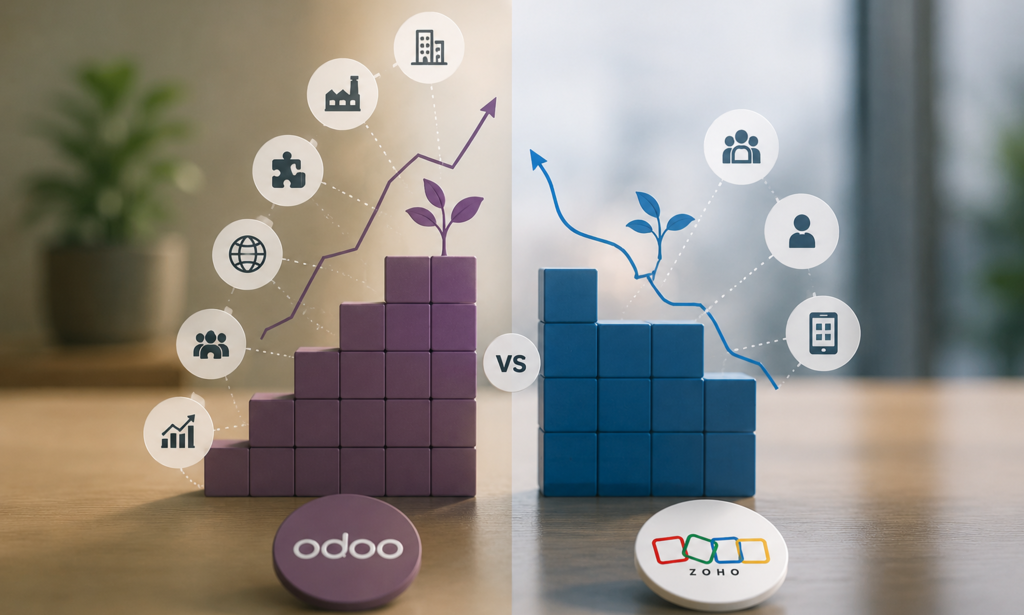
Odoo vs Zoho: Which Platform Grows Better?
Every Odoo vs Zoho decision is really two decisions: what fits today, and what won’t need to be replaced in three years. This is where the two platforms diverge most sharply.
1. New branches
In the Odoo vs Zoho comparison, this is where structure matters most: Odoo’s multi-company structure supports new branches within the same unified database, with consolidated reporting built in. Zoho handles this through separate organizations, which works fine for two or three locations but becomes a manual, export-and-merge process beyond that.
2. New countries
Odoo’s broader localization support and open architecture generally handle multi-country tax and compliance requirements more smoothly at scale. Zoho’s native tax tooling is strong for single-country operations but leans more heavily on third-party tools once you’re filing across multiple jurisdictions.
3. New users
This is Odoo’s clearest advantage in the Odoo vs Zoho comparison. Adding Manufacturing, HR, or a new department’s workflow means installing another module that automatically shares data with everything already in place. Zoho’s equivalent means adding another Zoho app that syncs with Zoho Books rather than natively sharing its data model.
4. New modules
This is Odoo’s clearest advantage. Adding Manufacturing, HR, or a new department’s workflow means installing another module that automatically shares data with everything already in place. Zoho’s equivalent means adding another Zoho app that syncs with Zoho Books rather than natively sharing its data model.
5. Manufacturing
If manufacturing becomes part of your business down the line, Odoo is built for this in a way Zoho simply isn’t. Multi-step production, lot tracking, and real-time inventory-to-accounting flow are core Odoo strengths that Zoho wasn’t designed to handle.
6. Multi-company
This is the single clearest long-term differentiator in Odoo vs Zoho comparison. Odoo supports true multi-company consolidation within one database. Zoho’s multi-entity handling works for a couple of organizations but turns into manual reconciliation work as entity count grows.
What Switching Actually Looks Like
This Odoo vs Zoho comparison wouldn’t be complete without covering what switching actually looks like, this is the part most comparison articles skip entirely, and it’s the part we can speak to directly.
We migrated BSOLN off a set of disconnected systems (including Zoho) and onto a fully integrated Odoo ERP. The problem wasn’t that their old tools didn’t work individually , it’s that sales, procurement, HR, and finance were running in silos, approvals were manual, and leadership had no real-time visibility into what was actually happening across the business. The move to Odoo connected CRM, sales, purchasing, HR, accounting, and inventory into one system, replaced manual approvals with automated workflows, and migrated everything with zero data loss.
The lesson that generalizes beyond BSOLN: a platform switch is never just a data export and import. It’s a chance to fix the workflow problems that made the old system feel limiting in the first place but only if the migration is planned around your actual operations, not just a technical data transfer. You can read the full BSOLN case study here.

Odoo vs Zoho Implementation Timeline
How long it takes to actually go live is one of the most practical — and most searched — questions in this comparison, and the honest answer is: it depends heavily on scope, but the general pattern holds consistently.
Platform | Typical Implementation Timeline | What Drives the Timeline |
Zoho Books | 2–6 weeks | Mostly configuration of standard accounting workflows; minimal custom development needed for most SMBs |
Odoo | 2–6 months | Broader module configuration, data migration complexity, and any custom development required to match your specific workflows |
A few factors that push either of the Odoo vs Zoho timeline longer or shorter:
1. Data migration complexity
Clean, well-organized legacy data speeds things up considerably; messy or incomplete records slow both platforms down, but especially Odoo given its broader scope.
2. Number of modules
A Zoho setup covering just accounting stays on the short end of its range; an Odoo setup spanning Sales, Inventory, HR, and Manufacturing will land toward the longer end.
3. Customization needs
Standard configuration moves fast on either platform. Custom workflows, integrations, or industry-specific requirements add real time, particularly on Odoo where the customization ceiling is much higher.
4. Partner support
A structured implementation partner with healthcare, manufacturing, or industry-specific experience can meaningfully shorten either timeline compared to a self-led rollout.

Odoo vs Zoho Decision Matrix
Here’s the direct, no-hedging breakdown of which platform fits which business.
Choose Odoo If
✅ You manufacture products
✅ You operate multiple warehouses
✅ You run multiple companies or entities
✅ Your inventory needs are heavy or complex
✅ You need a full ERP, not just an accounting tool
✅ Your workflows are non-standard or industry-specific
✅ You’re planning meaningful growth in the next few years
Choose Zoho If
✅ You mainly need accounting, not a full ERP
✅ You’re running a lean team, generally under 20 employees
✅ Your invoicing and billing needs are simple and predictable
✅ You have a limited budget for implementation
✅ You don’t have in-house technical resources to manage customization
✅ You want to be up and running in weeks, not months
✅ You’re already using other Zoho apps
If you’re checking boxes on both sides, that’s the most common real-world scenario, and it’s worth scoping the decision properly before committing either way.

From Zoho to Odoo: How AI-IoT Geeks Makes Migration Easier
Deciding Odoo is the right platform is one thing. Actually moving off Zoho without losing data, disrupting operations, or blowing your timeline is a different problem entirely — and it’s the part most comparison guides skip.
Any Odoo vs Zoho migration starts with the same reality: isn’t a simple export-and-import between two systems. Zoho stores data as separate, synced apps; Odoo runs everything through one shared database. That structural difference means chart of accounts, customer records, transaction history, and inventory data all need to be mapped and restructured, not just copied over. Get this wrong, and you end up with a technically “migrated” system that doesn’t actually reflect how your business runs.
Here’s how we handle it differently:
1. Full pre-migration audit
Before touching any data, we map exactly what’s in your current Zoho setup every module in use, every custom workflow, every report your team relies on so nothing gets lost or overlooked in the move.
2. Structured data mapping
Chart of accounts, contacts, transactions, and inventory records are mapped to Odoo’s data model deliberately, not dumped in and cleaned up after the fact.
3. Zero data loss migration
Historical transactions, opening balances, and full financial history move across intact, with validation checks to confirm everything reconciles before go-live.
4. Workflow redesign, not just data transfer
Migration is the natural moment to fix the process problems that made your old system feel limiting, the same principle we cover in what a legacy system actually costs you, rather than recreating the same bottlenecks inside a new platform.
5. Parallel run before full cutover
Running both systems briefly side by side lets your team validate that everything in Odoo matches reality before Zoho is switched off for good.
6. Post-migration support
Reconciliation checks, adjustments, and hands-on support once you’re live, so small issues get caught early instead of compounding.

Conclusion
Both Odoo and Zoho are capable business platforms, but the right choice depends on your growth plans, processes, and customization needs. If you’re looking for a flexible ERP that can scale with your business, Odoo is often the stronger long-term option.
At AI-IoT Geeks, we help businesses implement and customize Odoo to streamline operations and support sustainable growth.
Still Deciding Between Odoo and Zoho? Talk to Our Experts.
Have any questions in mind
Frequently Asked Questions?
1.Is Odoo better than Zoho?
Neither is universally better. Odoo fits growing, multi-entity, or operationally complex businesses; Zoho fits smaller, single-entity businesses that want fast setup and predictable, low-maintenance accounting.
2.Can you migrate from Zoho to Odoo without losing data?
Yes, with proper planning — chart of accounts, transactions, customer records, and historical data can all move across cleanly, though it requires careful mapping given how differently the two platforms structure data.
3.Is Zoho cheaper than Odoo?
For a small, single-entity business, usually yes — lower published pricing and a faster, cheaper implementation. For a growing or multi-entity business, Odoo’s total cost often works out more favorable once you account for what it would take to force Zoho past its natural ceiling.
4.Does Zoho work for manufacturing businesses?
For simple, single-warehouse operations, reasonably well. For real manufacturing complexity — multi-step production, lot tracking, multi-warehouse routing — most businesses outgrow it faster than they would Odoo.
5.How long does implementation take for each platform?
Zoho Books typically reaches a working state in a few weeks for straightforward accounting use. Odoo implementations usually take longer, since the value comes from configuring multiple connected modules, not just one.