


How to Assess Legacy System Risk: A Practical Scoring Framework
Evaluate legacy system risks with a practical scoring framework.
“It still works” is often the standard businesses use to judge a legacy system but it’s the wrong one.
A system can run every day without crashing and still be quietly accumulating risk. That risk may exist in the one employee who knows how it works, the security patch that was never applied, or the temporary workaround that’s one bad day away from causing a major outage.
By the time a legacy system fails in a way everyone notices, the real risk has usually been building for months or even years.
Most articles about legacy systems stop at listing common risks such as security vulnerabilities, data loss, outdated technology, and shrinking expertise. While that provides useful context, it doesn’t answer the question most IT leaders actually need to solve.
If you have multiple legacy systems but only one modernization budget, which one should you upgrade first?That’s what this guide focuses on. Instead of simply identifying risks, you’ll learn a practical framework for scoring and prioritizing legacy systems based on business impact, technical risk, and modernization urgency.
Why Assess Legacy System Risk Before Modernization?
Not every legacy system needs immediate replacement. Some continue to operate reliably with manageable maintenance costs, while others quietly accumulate operational, security, and financial risks. A structured risk assessment helps organizations identify which systems deserve immediate investment, which can be monitored, and which should become part of a long-term modernization roadmap.
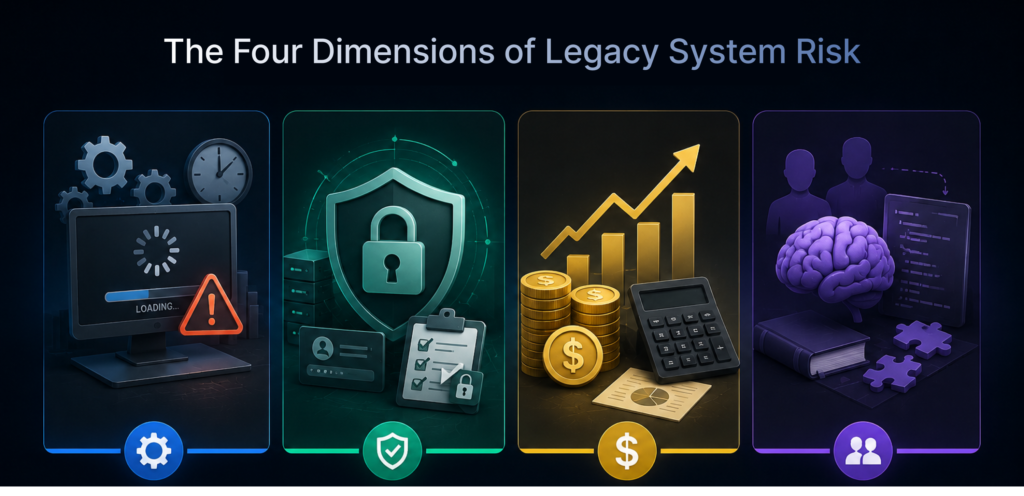
The Four Dimensions of Legacy System Risk
Before scoring anything, it helps to separate risk into categories, since a system that’s risky for one reason isn’t necessarily risky for another. Four dimensions cover most of what shows up in practice.
1. Operational Risk
Operational risk measures the likelihood that a legacy system will disrupt normal business operations. As software ages, it often becomes slower, less reliable, and more difficult to scale alongside business growth. Frequent downtime, performance bottlenecks, outdated infrastructure, and increasing reliance on manual workarounds can all reduce productivity and impact customer service. A system that struggles to support current business requirements presents a higher operational risk and may require modernization before it begins affecting critical processes.
2. Security and Compliance Risk
Security and compliance risk evaluates whether a legacy system can protect sensitive business data and meet current regulatory standards. Older applications frequently run on unsupported software, lack modern authentication mechanisms, and no longer receive security updates or vendor patches.If this dimension is scoring high across multiple systems, it’s usually a sign to bring in dedicated security expertise rather than treating it as a side effect of modernization our cybersecurity and IT risk protection services cover vulnerability assessment and compliance auditing for exactly this kind of exposure.
3. Financial Risk
Financial risk extends beyond the visible cost of maintaining aging technology. Legacy systems often require expensive custom support, specialized expertise, and outdated hardware that become increasingly costly to maintain over time. They may also prevent organizations from adopting automation, analytics, or cloud-based capabilities that improve efficiency and reduce operating costs. Evaluating financial risk helps determine whether continuing to maintain the system is more expensive than investing in modernization.
4. People and Knowledge Risk
People and knowledge risk measures how dependent an organization is on specific individuals to keep a legacy system running. In many cases, critical business processes rely on undocumented configurations, custom code, or institutional knowledge held by only one or two experienced employees.
If those individuals leave the organization, troubleshooting and maintaining the system becomes significantly more difficult. Well-documented systems with shared knowledge present lower risk, while undocumented environments create long-term operational challenges that become more severe over time.

Who Should Use This Framework?
This framework is designed for organizations that need a structured way to evaluate and prioritize legacy system modernization. It is particularly useful for:
CIOs and IT Directors:
Gain a clear, objective view of which legacy systems pose the greatest operational and business risks, helping prioritize modernization investments and allocate budgets effectively.
ERP Managers:
Assess whether an existing ERP platform can continue supporting business operations or if it has reached the point where migration, replacement, or modernization should be planned.
Infrastructure Teams:
Identify aging systems that create performance, scalability, or maintenance challenges, enabling proactive planning before infrastructure issues affect daily operations.
Enterprise Architects:
Use risk scores to align modernization initiatives with the organization’s long-term technology roadmap, ensuring critical systems are upgraded in the right order.
Operations Leaders:
Understand how legacy systems impact productivity, business continuity, and operational efficiency, allowing them to prioritize improvements that reduce disruption.
Businesses Planning Digital Transformation:
Evaluate which legacy applications should be modernized first so digital transformation initiatives are built on reliable, scalable, and secure technology foundations.
Companies Preparing for ERP Migration:
Determine whether an ERP system is the highest modernization priority compared to other legacy applications, helping create a phased migration strategy based on business risk rather than assumptions.

How to Assign Scores
To keep the assessment consistent across multiple systems, evaluate each factor using a 1–5 scale, where 1 represents low risk and 5 represents severe risk. The descriptions below provide a practical way to determine the most appropriate score.
1. Likelihood of Failure
This measures how likely the system is to experience a significant incident, such as an outage, security breach, or data corruption, within the next 12 months.
Score | Meaning |
1 | Very unlikely. The system is stable, well-maintained, and shows no significant warning signs. |
2 | Low probability. Minor issues occur occasionally but are quickly resolved with minimal impact. |
3 | Moderate concern. Recurring performance issues, aging infrastructure, or limited vendor support increase the risk of failure. |
4 | High probability. Frequent incidents, outdated technology, or unsupported software make a major failure likely. |
5 | Critical risk. The system is unstable, unsupported, or already experiencing failures that threaten business operations. |
2. Business Impact
This measures how severely the organization would be affected if the system became unavailable or produced inaccurate data.
Score | Meaning |
1 | Minimal impact. Business operations can continue with little or no disruption. |
2 | Low impact. A small team or non-critical process is temporarily affected. |
3 | Moderate impact. Multiple departments experience delays, but work can continue using alternative processes. |
4 | High impact. Critical business functions slow down significantly, affecting customers or revenue. |
5 | Severe impact. The business cannot operate effectively until the system is restored. |
3. Cost to Remediate Later
This measures how much delaying modernization is likely to increase future costs, complexity, or project risk.
Score | Meaning |
1 | Delaying has little effect on future costs or project complexity. |
2 | Minor cost increases are expected if modernization is postponed. |
3 | Delays will require additional effort due to growing maintenance or technical debt. |
4 | Waiting significantly increases implementation costs, migration complexity, or operational risk. |
5 | Every delay substantially raises costs, making future modernization far more expensive and disruptive. |
4. Institutional Knowledge Availability
This measures how dependent the organization is on a small number of people to maintain or troubleshoot the system.
Score | Meaning |
1 | Comprehensive documentation exists, and multiple team members understand the system. |
2 | Documentation is mostly complete, with knowledge shared across the team. |
3 | Some documentation exists, but important knowledge depends on a few experienced employees. |
4 | Very limited documentation, with only one or two people able to support the system confidently. |
5 | Critical knowledge is undocumented or has already been lost due to staff turnover, creating significant operational risk. |
After assigning scores for all four factors, add them together to calculate a total score out of 20. Comparing total scores across legacy systems helps identify which ones should be monitored, planned for modernization, or prioritized for immediate action.

What the Score Tells You to do Next
The number itself isn’t the point — what it’s for is comparison and sequencing.
- 0–8: Monitor. Low urgency. Revisit the score annually or after any major change to the system or the team running it.
- 9–14: Plan. Worth scoping a modernization project now, even if execution is 6–12 months out, so the work is ready to start before risk climbs further.
- 15–20: Act. These are the systems where delay is actively expensive. This is where an ERP implementation and support or legacy system modernization engagement typically starts with an assessment phase to confirm scope before anything moves.
Scoring isn’t a one-time exercise, either. Systems move between these bands as vendor support changes, as staff turn over, or as the business grows into new markets or volumes the system wasn’t built for.
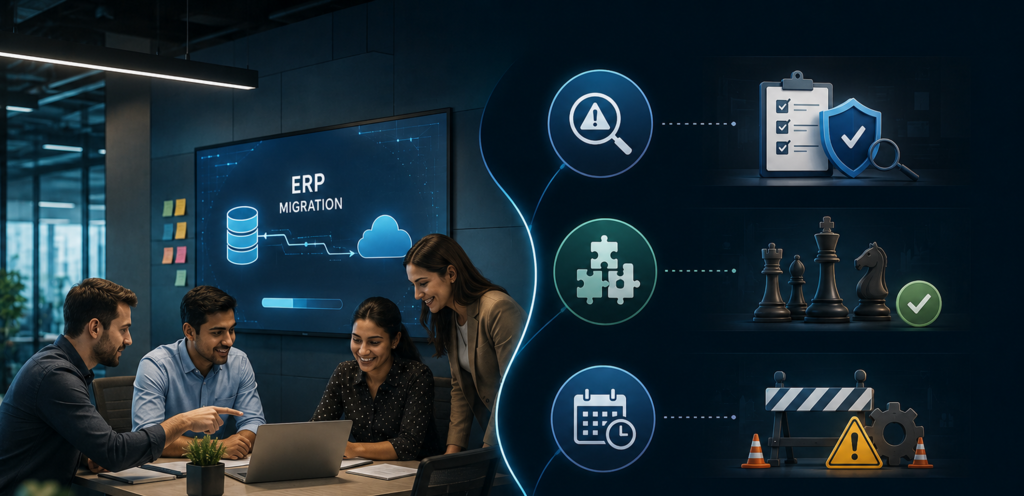
Why Choose AI IoT Geeks For Legacy ERP Migration
AI IoT Geeks approaches legacy ERP migration as one part of a broader legacy modernization practice, not a standalone service migration decisions connect directly to modernization strategy, risk management, and long-term system architecture, not just the technical act of moving data.
Risk-first assessment:
Before recommending a migration path, the team confirms a system actually qualifies as a liability worth addressing, based on the same signs and risk factors that inform every assessment phase.
Right-fit modernization strategy:
The migration approach rehost, replatform, rearchitect, or full replacement is matched to the system’s actual complexity and constraints, rather than defaulting to a one-size-fits-all rebuild.
Planned for known failure points:
Data loss, downtime, cost overruns, and knowledge gaps are the most common ways migrations go wrong planning for these upfront, rather than reacting to them mid-project, is what keeps a migration on budget and on schedule.
Continuity from planning to support:
The same team that assesses and plans the migration also executes it and stays on for post-launch support no handoff gaps between strategy and implementation.
Conclusion
AI chatbot app development services in 2026 are not about building a bot. They are about building a conversational system that integrates with your business, stays accurate over time, handles real users at scale, and improves continuously after launch. That level of outcome requires a development partner with genuine engineering depth, domain experience, a commitment to security, and a model of engagement that extends well beyond the delivery date.
The right partner is not always the one with the most impressive demo or the lowest proposal price. It is the one that can demonstrate production deployments, answer your hardest technical questions with specifics, and take accountability for outcomes not just deliverables.
At AI-IoT Geeks, that is exactly how we work. If you are exploring what AI chatbot app development looks like for your business, our team is ready to help you scope it, build it, and scale it the right way. Contact us today to discuss your AI chatbot app development requirements and discover how our experts can help you build a secure, scalable, and business-focused AI solution.
Ready to Score Your Legacy Systems?
Have any questions in mind
Frequently Asked Questions?
1. How often should a business reassess legacy system risk?
Annually at minimum, and sooner after any major change a key staff departure, an end-of-support announcement from a vendor, or a jump in transaction volume that pushes a system past what it was designed to handle.
2. Does a risk score replace a full technical audit?
No. Scoring is a prioritization tool that tells you where to look first. A full audit — the kind that happens during the assessment phase of an actual modernization project — still needs to happen before any migration work starts.
3. Can this framework apply to systems other than ERPs?
Yes. The four factors — likelihood, impact, remediation cost, and institutional knowledge apply to any legacy system: CRMs, scheduling tools, custom-built internal software, or industry-specific platforms.
4. What's the biggest mistake businesses make when assessing legacy risk?
Treating every legacy system as equally urgent, or equally low-priority. Both extremes lead to the same outcome: the system that’s actually accumulating the most risk doesn’t get addressed until it fails.