


20 SaaS UX Design Best Practices That Cut Churn and Boost Retention
Most SaaS churn is a design problem, not a pricing one.
Users cancel because they opened your product, couldn’t find what they needed in 90 seconds, and quietly moved on. That moment of friction is where revenue walks out the door.
!
5% more retention, 25–95% more profit. (Bain & Company)
!
Poor SaaS UX drives churn rates as high as 70%.
!
Top SaaS UX design delivers up to 9,900% ROI per dollar spent.

The 20 practices below are not tips about colors or fonts. They are the structural decisions that determine whether users stay, renew, and refer. Effective saas ux design focuses on reducing friction across the entire user journey, from onboarding to billing.
The First 7 Days Decide Everything
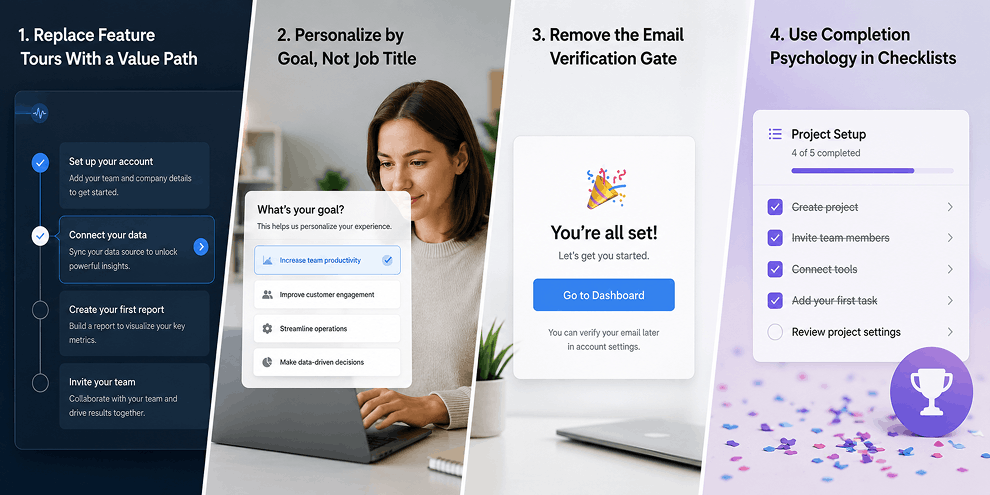
1. Replace Feature Tours With a Value Path
Feature tours show users what exists. They don’t show users what to do first, which is why most users ignore them.
Find your product’s ‘aha moment’, the one action most correlated with long-term retention. Build every onboarding step as a direct path to that moment. Cut everything else a core principle in SaaS UI/UX design.
Do This
Map onboarding backwards from your activation event. Remove any step that doesn’t move users toward it.
Reducing Time to First Value (TTFV) by 30% is one of the highest-impact retention levers in SaaS.
2. Personalize by Goal, Not Job Title
‘What’s your role?’ is table stakes. ‘What are you trying to accomplish this week? ‘ is what works.
Goal-based onboarding routes users to the workflow that matches their immediate need, faster value, less friction, and stronger retention, a common strategy used in SaaS UI/UX design services.
Do This
Replace the role dropdown with 2–3 goal-based questions at signup. Use answers to pre-populate the dashboard and sequence tooltips around the user’s stated priority.
3. Remove the Email Verification Gate
Forcing verification the moment someone signs up kills momentum. Around 20% of users never return after being redirected to their inbox.
Do This
Let users enter the product immediately. Send verification in the background. Only gate features that genuinely require it billing, external sharing, and API access.
4. Use Completion Psychology in Checklists
A checklist with 10 steps feels like homework. One that starts with 2 of 6 already completed triggers the Zeigarnik effect users feel compelled to finish what’s already started.
Do This
Cap checklists at 5–7 items. Pre-complete the first 1–2 steps automatically. Keep each remaining step completable in under 60 seconds a small but impactful SaaS UX design improvement.
Design for Long-Term Use, Not First Impressions
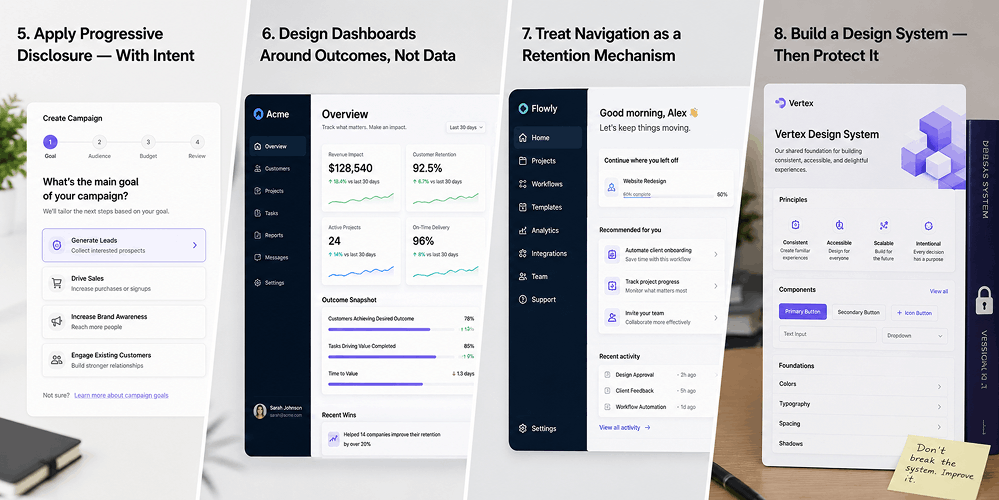
5. Apply Progressive Disclosure — With Intent
Hiding features only works if users can find them when they need them. Hiding features with no clear path back is just poor information architecture something a SaaS UX design company helps resolve.
Do This
Classify every feature into three tiers: Core (always visible), contextual (appears based on task), and advanced (via settings or shortcuts). Design the reveal logic for tiers 2 and 3 deliberately.
Progressive disclosure reduces cognitive load by up to 50% and drives 40% faster task completion.
6. Design Dashboards Around Outcomes, Not Data
Users don’t open dashboards to see data. They open them to answer one question: is what I care about working? Good SaaS UX makes that answer immediately clear.
Do This
Ask your best-retained users: ‘What’s the first thing you look for when you open the dashboard?’ Build the default view around those 2–3 answers. Everything else is accessible but not in the way.
7. Treat Navigation as a Retention Mechanism
When users can’t find a feature they know exists, they either raise a support ticket or assume it doesn’t exist. Both increase churn risk and reveal gaps in SaaS UX, see our breakdown of popular apps with bad UX for real examples of this going wrong.
Do This
Run a tree test with real users every 6 months. Any feature with under a 70% success rate has a navigation problem, not a discoverability problem. They need different fixes.
8. Build a Design System — Then Protect It
Inconsistent design mismatched buttons, varied weights, unpredictable modals erodes trust faster than bugs. Users sense that a poorly maintained UI means a poorly maintained product. Our enterprise application UX guide breaks down how modular design systems keep complex products consistent as they scale.
Do This
Audit your design system quarterly for drift, or bring in UX audit services to run it objectively. Assign an owner who reviews every new component for consistency before it ships.
This Is Where Most Retention Gains Hide
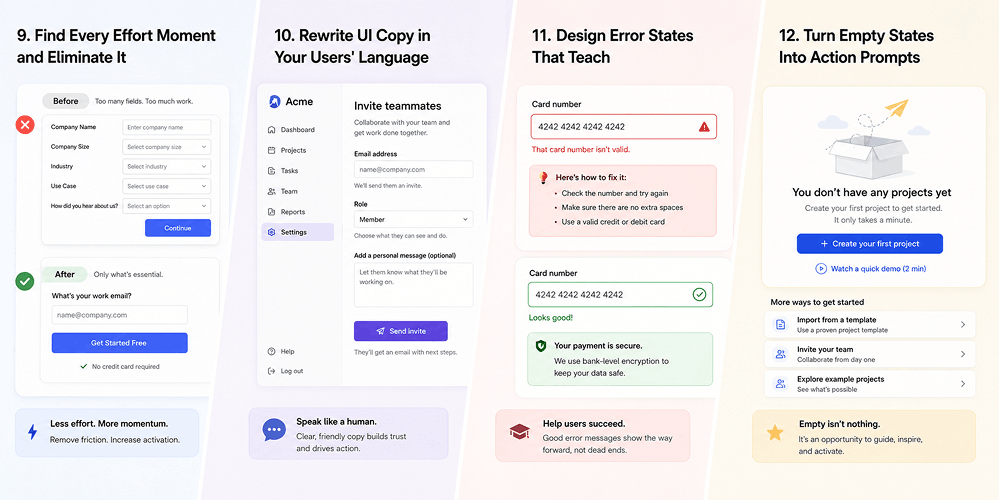
9. Find Every Effort Moment and Eliminate It
An effort moment is any point where a user has to stop, think, or search for something that should be obvious. Users rarely complain about them they just use the product less and then cancel.
Do This
Use session recordings (Mouseflow, FullStory) to find where users pause 5+ seconds, click back, or abandon mid-task. Fix the top 3 effort moments every quarter.
Reducing Time on Task by 20% across your top 3 workflows directly improves retention.
10. Rewrite UI Copy in Your Users' Language
‘Initialize workspace.’Configure permissions schema.’ These are real examples of UI copy that confuses users and breaks trust. When your interface speaks a different language than your user, they spend energy translating instead of accomplishing a common SaaS UX design issue.
Do This
Pull your top 20 support tickets from the last 60 days. Extract every phrase users use to describe features or errors. Wherever it doesn’t match your UI labels rewrite the UI, not the user.
11. Design Error States That Teach
‘Something went wrong. Please try again.’ is a failure. Every error state is a chance to recover a user’s confidence or accelerate their frustration toward cancellation, making SaaS UX critical to effective error recovery.
Do This
Every error message needs three parts: (1) what happened, (2) why it happened, (3) exactly what to do next with a direct link, not just a dismiss button.
12. Turn Empty States Into Action Prompts
A blank dashboard tells the user nothing. It is one of the most underinvested screens in SaaS and one of the easiest SaaS UX wins.
Do This
Every empty state needs: (1) why it is empty, (2) a CTA that fills it, (3) optionally, a template showing what the filled state looks like. Slack and Notion both do this exceptionally well.
The Next Retention Frontier
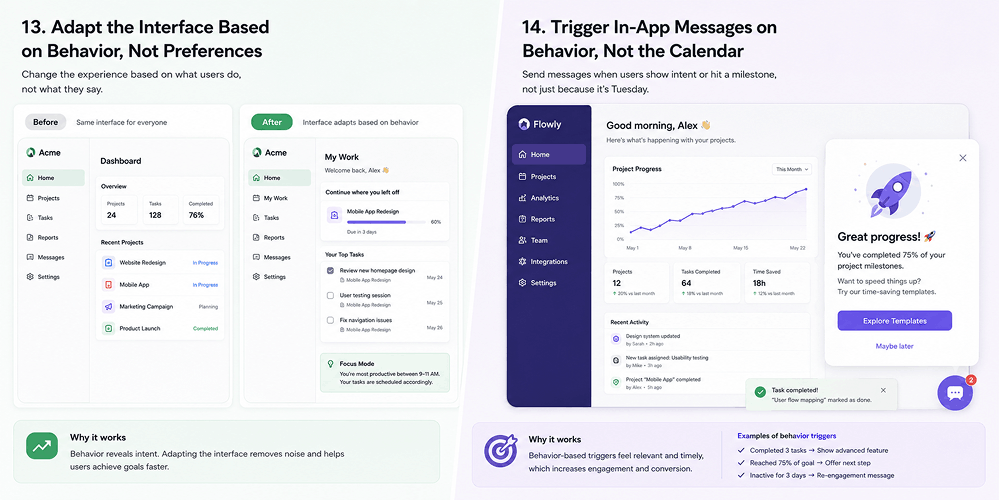
13. Adapt the Interface Based on Behavior, Not Preferences
Collecting onboarding preferences and then ignoring actual user behaviour is a wasted opportunity. High-retention SaaS products adapt what users see based on what they actually do, creating a more responsive SaaS UX.
Do This
Start simple: add ‘Recently used’ and ‘Recommended for you’ to the dashboard. Then add logic if a user hasn’t touched a feature in 30 days, suppress it from their default view.
68% of users prefer personalized software. AI-driven personalization lifts engagement by up to 80%.
14. Trigger In-App Messages on Behavior, Not the Calendar
Day 3 tip, Day 7 check-in, Day 14 nudge calendar-driven messaging is largely ignored. A tooltip triggered when a user hovers over a feature they’ve never used is contextually relevant and demonstrably more effective.
Do This
Replace at least 50% of calendar-triggered messages with behavior-triggered ones. Tools like Appcues or Intercom handle this without engineering resources.
The Practice Most SaaS Companies Skip
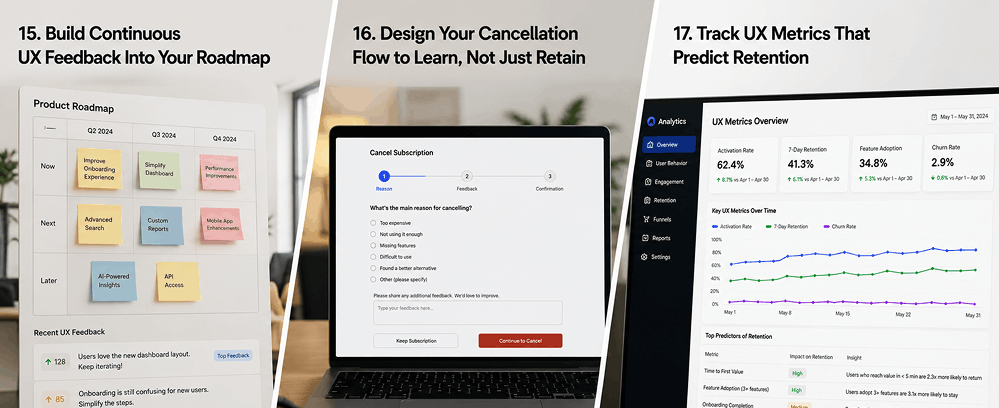
15. Build Continuous UX Feedback Into Your Roadmap
Most SaaS teams collect feedback reactively after complaints or cancellations. Low-churn products collect it continuously a key SaaS UX design practice.
Do This
Deploy one-question micro-surveys at three points: (1) after a user completes a core workflow for the first time, (2) 30 seconds after a mid-task abandonment, (3) when a user starts the cancellation flow.
16. Design Your Cancellation Flow to Learn, Not Just Retain
A passive ‘Are you sure?’ and an aggressive discount pop-up both miss the point. The cancellation flow is your last conversation with a churning user and the data it generates is worth more than most teams realise.
Do This
Build 3 screens: (1) one honest survey question with real options, (2) a targeted response based on their answer, (3) a clean confirmation with a reactivation CTA. Review this data monthly and feed it into your design roadmap.
17. Track UX Metrics That Predict Retention
Page views and session duration tell you users are present not that they are succeeding. The metrics that predict churn are: Time to First Value, Feature Adoption Rate, User Error Rate, and Task Completion Rate.
Do This
Instrument your three most critical workflows with event tracking. When any metric drops more than 10%, treat it as a UX incident inot a backlog item.
The Retention Foundations Nobody Talks About
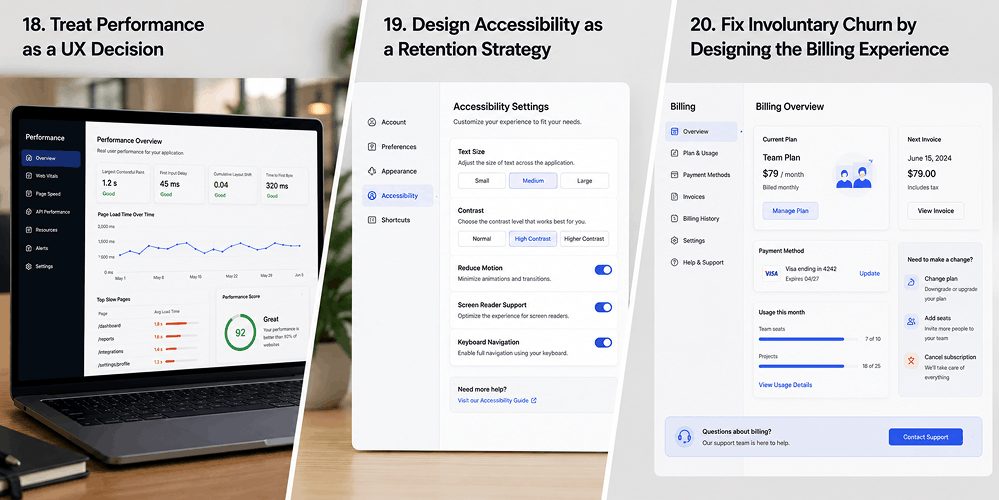
18. Treat Performance as a UX Decision
When a SaaS dashboard takes 4 seconds to load, users blame the product — not the server. Slow interfaces feel unreliable, and unreliable tools get replaced, which is why performance is a core focus of our website development work.
Do This
Set a performance budget for every core screen. Use skeleton screens and optimistic UI to reduce perceived load time even when actual speed can’t improve immediately.
A 1-second improvement in load time increases conversions by up to 7%.
19. Design Accessibility as a Retention Strategy
Accessible design is not just compliance it is better design for everyone. High contrast, keyboard navigation, and clear focus states reduce cognitive load across your entire user base.
Do This
Run WCAG 2.1 AA compliance checks quarterly on your core workflows. Focus on contrast ratios, keyboard navigability of modals, and alt text on functional images. Use axe DevTools or Stark for automated audits.
20. Fix Involuntary Churn by Designing the Billing Experience
Up to 50% of SaaS churn is involuntary users whose payment failed and who never came back. This is a UX problem, not a billing problem, and it is the most overlooked practice in the space.
Do This
Build a 3-part dunning flow: (1) an in-app banner before the payment fails with a direct card-update link, (2) a frictionless update screen that works on mobile, (3) a post-recovery confirmation that rebuilds trust. Enable automatic card updater through your payment provider to handle expired cards without user action.
Related Posts
Conclusion
SaaS churn is rarely caused by a single broken feature or a bad pricing decision it’s the result of accumulated friction across the entire user journey. From onboarding to billing, every small delay, unclear label, or unnecessary step quietly pushes users closer to cancellation.
At AI-IoT Geeks, the focus is on solving this at a structural level aligning UX decisions with real user behavior and business outcomes. By building scalable UX systems through SaaS UX design, SaaS products are designed to grow sustainably from day one.
Want a SaaS UX audit or a design team that builds for retention from day one?
Book a Free Strategy Call at aiiotgeeks.com
Have any questions in mind
Frequently Asked Questions?
1.How can UX design reduce SaaS churn?
By simplifying workflows, improving onboarding, and removing friction points, UX design helps users reach value faster making them more likely to stay.
2.What UX metrics should SaaS companies track?
Key metrics include Time to First Value (TTFV), task completion rate, feature adoption rate, and user error rate these directly indicate user success and retention.
3.How does personalization improve SaaS UX?
Personalization adapts the product experience based on user behavior and goals, helping users focus on what matters most and reducing complexity.
4.When should I invest in a SaaS UX audit?
If your product has high churn, low feature adoption, or users struggling to complete tasks, it’s the right time to invest in a SaaS UX audit
5.What does a SaaS UX audit typically include?
A UX audit includes analyzing user flows, identifying friction points, reviewing UI/UX consistency, evaluating onboarding, and providing actionable recommendations.
6.How can AI-IoT Geeks help improve SaaS retention?
AI-IoT Geeks helps by conducting in-depth UX audits, identifying hidden friction points, and applying saas ux design strategies that improve user experience, reduce churn, and drive long-term growth.